Convert any photo into text using Photo2Text Service, which is completely a free web tool. The text can be saved in a Notepad or any other text document as well. You can use it even in the about me page of your Orkut Profile as many people do it 🙂

Photo2text helps you to play with your photo, to convert the high quality colorful image into a black and white text that can be copied and paste into any document you as you wish. Instead working on Photo-shop and converting the image into black and white, this simple tool converts any image into text with the keeping the same pattern of the image file. This can even help you in some cases, where you want to paste a picture in the text format, instead of the image file.

Step 1 :
- Log on to www.photo2text.com
- Select any picture from your Desktop, which you want to convert into text format. this can be done by selecting the browse button in the web page.
- Now, Just hit the Submit button
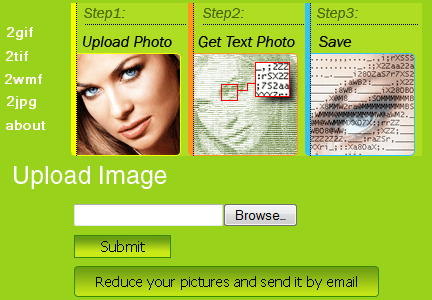
Step 2 :
- Now, you will reach a new page with the text image of the file you selected.
- Now enter a nick name for the uploaded photo ( this will be the name of your .txt file )
- Click on the Submit bottom. ( you can also select the other option which will mail you the .txt file to your email ID )
Step 3 :
- Now you are in the last step of the process.
- Just click on the download button in the page to download your photo text file

- You can even customize the image according to your needs, by adjusting the brightness and the Character set of the image from this page.
- Well, that’s it, now your photo is ready, Enjoy 🙂
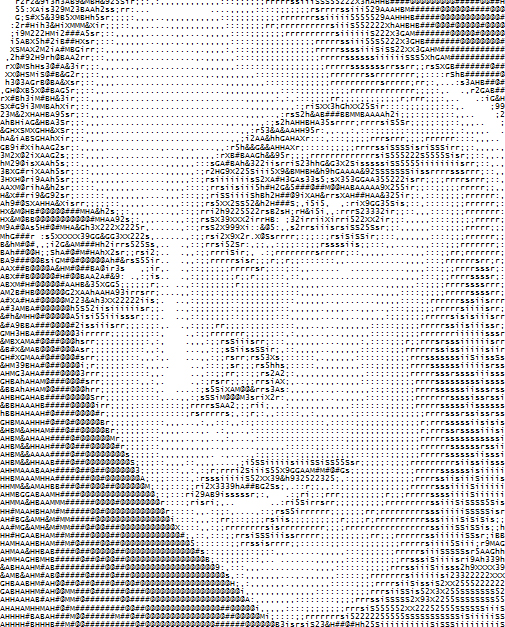
Hope its cool now 🙂 isn’t it ??
Well, now try it out with your own image, have some fun at www.photo2text.com
Did you try ? or have you come across any other similar service before ? Do share your comments with us below 🙂

Dude…
Thanks for your awesome Post!
Great Work!
Thanks buddy .. stay connected with the blog 🙂
Thanks, this is awesome tool…
Such a superb tool. This is much easier & faster than the ASCII method. Thanks for sharing it. RT’d 🙂
hehehe 🙂
nice website to create ASCII pic of ours….
we can post this to orkut also 😛
cool tool .. thanks for sharing ..
yeah ofcourse.. most people use this on Orkut 🙂
Welcome to my blog dude.. keep visiting 🙂
This is very cool, and bet it also gets indexed too! Will have to give this a try. Thanks for sharing~
yeah.. its indexed in google.. shows in first page for search query “Convert any Photo into Text ” 🙂
Still want to be careful not to “keyword stuff” if placing on a website/blog I would think, as many top search engines would be able to recognize, and take down. See nothing wrong with adding valuable content within though. Your thoughts?
Cool post….
I will try it for sure….
thanks for sharing 🙂
Thanks for sharing this wonderful post! Hopefully you will keep sharing these wonderful topics!
Now that’s awesome
cool buddy, i will try will my pic…