Here is a complete procedure to Install Android OS on PC or laptop. Its very common that almost all smartphones providers are now moving to android platform. This is because it has endless features, supports many applications and there are hundreds of new free and paid apps entering into the market everyday. Android OS is getting popular day by day. This being on one side, here is a short tutorial on how to install Android OS on your PC or Laptop.

Procedure to Install Android OS on PC :
1. Download and Install VmWare from here.
2. Now Run vmware that you have installed.
3. Now select the “create a new virtual machine” option available on vmware.
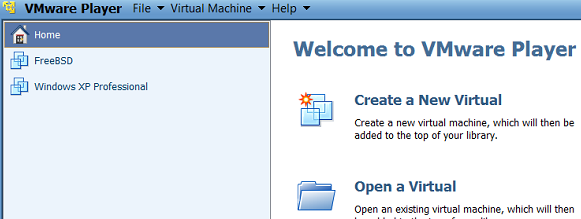
Install android on pc
4. In the next Window, select the path of Android OS image File. You can download it from here or here.
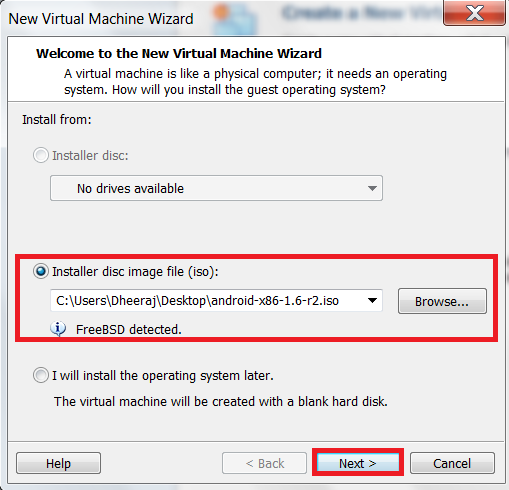
5. Set the local path on your computer, where you want to install your Virtual machine
6. Enter the hard drive Memory capacity – Recommended to set it as 2 GB
7. Customize the hardware settings like display, RAM and other details
8. Finally, Click on the finish option to install android OS on your PC
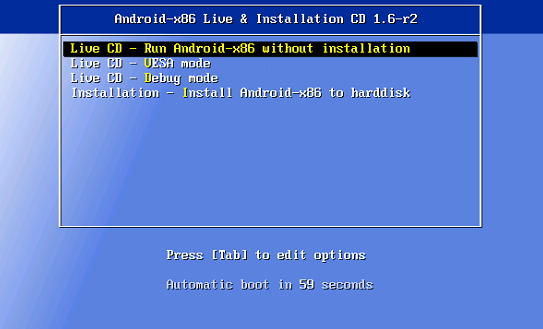
9. Press Tab and then press R and click Enter.
10. That’s it, You are done, now Android id ready for you to play on PC 😉
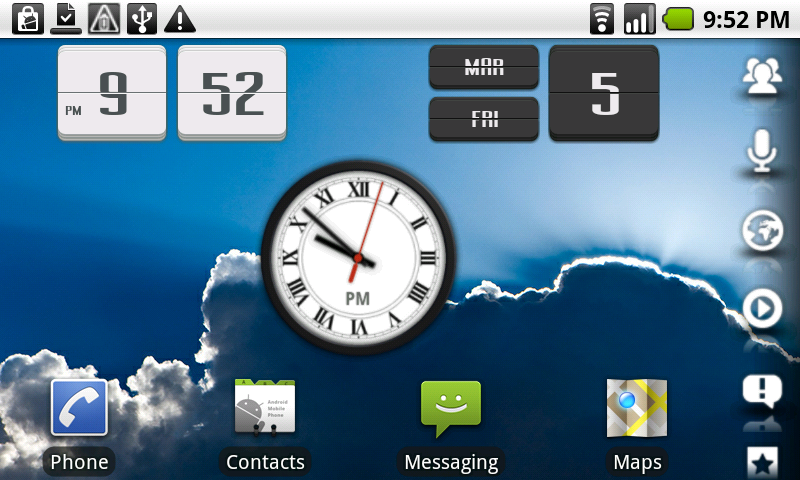
Installing Android OS on Your Computer is a great idea, but as most of the options on Android OS are available for Touch screens and mobile compatible machines, you may not be able to perform all the available operations as you use on your smartphone.
Source : techreuters

Having a go at this but unsure about creating the partition – should it be bootable, and should I worry about the warning that data on the disk may be destroyed?
It has to be bootable, everything else should be fine I guess.
Thanks, I got it sort of working but the generic version of Android doesn’t seem to be a good fit on my Lenovo tablet PC.
man i did al da stuffs and i gat android running on ma pc bt the problem is i cant access internet im using a moderm so what are the settings that im supposed to make plz help me with that
I am not getting internet connect on Android OS. Kindly suggest
It seems great to have android apps in my PC but my question is if Will I be able to use My PC normally with Windows OS? I don’t much about computers so; Is it possible?
I really appreciate your time giving us this info to all of us in twitter!
Hello ! Siddharth…
Hey can you please tell me that is this OS is permanent or just temporary?
Will I be losing my other data that are on my PC ?
hi everybody,
first of all it is virtual operating system that occupies our some hard disk space and memory. but it does not delete your partition table and other data so don’t worry to install it while it says all data will be deleted. it is permanent operating system and you can use your internet with this os but u have to make some setting, obviously. thank you.