Before you try to understand how to use Twitter, it is a good idea to understand what Twitter actually is. Twitter is a social networking website although it is slightly different from other similar websites. You can use Twitter for many reasons, such as catching up with friends, look into current trends, but basically used for business.

Setting up your Profile
The first and foremost thing that you should do when you start learning how to use Twitter is to create an attractive Twitter profile for yourself. First start filling your Bio that has two crisp lines about yourself. Have a customized background for your twitter profile, and this is very much important. Now your profile is connected to millions of other people registered on the Twitter network.

One of the most interesting features of the Twitter is that you can customize everything on your profile, including the text colour and many other aspects. Now, upload your own picture, not a long shot one, make sure your face is slightly visible at-least, it creates trust on your profile. These are the basic things that can help you master the art of how to use Twitter.
@Mentions
Once you have learnt how to use Twitter, you can write short messages on other’s wall to initiate a conversation. The great advantage here is that you have the ability to mention anyone on twitter, either the president or your favorite celebrity. You can also follow tweets of other people and get them to follow you.
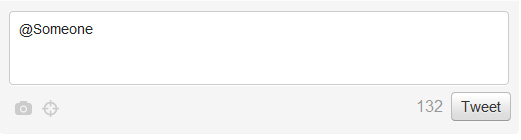
Thus, tweeting can become a long chain, making you feel it difficult to identify the tweets that are addressed to you alone. However, this is not as tough as it appears to be. After you have logged in, click on the @Mentions tab. You will be able to see only those tweets that mention you in them or are a reply to your tweet. This makes it easier for you to respond to them. Does this not make it all the more interesting for you to think about how to use Twitter more effectively?
Direct Messages
By now, you may have noticed that what you write on your wall or that of others, is visible to everyone on web. This can leave you wondering how to use Twitter to interact with people on something important or personal. To fulfill this need, you are provided with direct message option for private conversation.
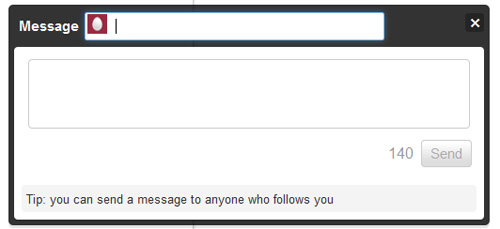
You can send short messages in private to anyone who is already following you. This means you cannot send Direct messages to anyone on twitter unless they follow you.
Retweets
One of the most common things you will hear when you have mastered how to use Twitter is about retweeting. This is an interesting Twitter feature that allows you to share with others what you found interesting from someone else you are following. You can also keep a track of your retweets.

As a beginner, getting started with Twitter may take a while to learn all the stuffs it provides you. To my knowledge, maximum, it takes typically an hour or two to learn about all options available on twitter, if you are really interested in what you are doing. Hope this helps you to some extent to learn about how to use twitter.

How do i customize my background photo?
Its Quite Easy, You can do that in Design tab under “settings”
thank you. that helped